

The MCA has launched a New Online Oral Exam Booking System (2026)
By: Fred, but mainly Emma :-) * Last updated 10th of March 2026 *
Step-by-Step Guide (including the bugs we’ve already found)
“The MCA’s new oral exam booking system went live on the 9th of March 2026. Some of my students have already started using it, and we’ve already found a couple of bugs. I will be updating this blog as things change and evolve. - Fred
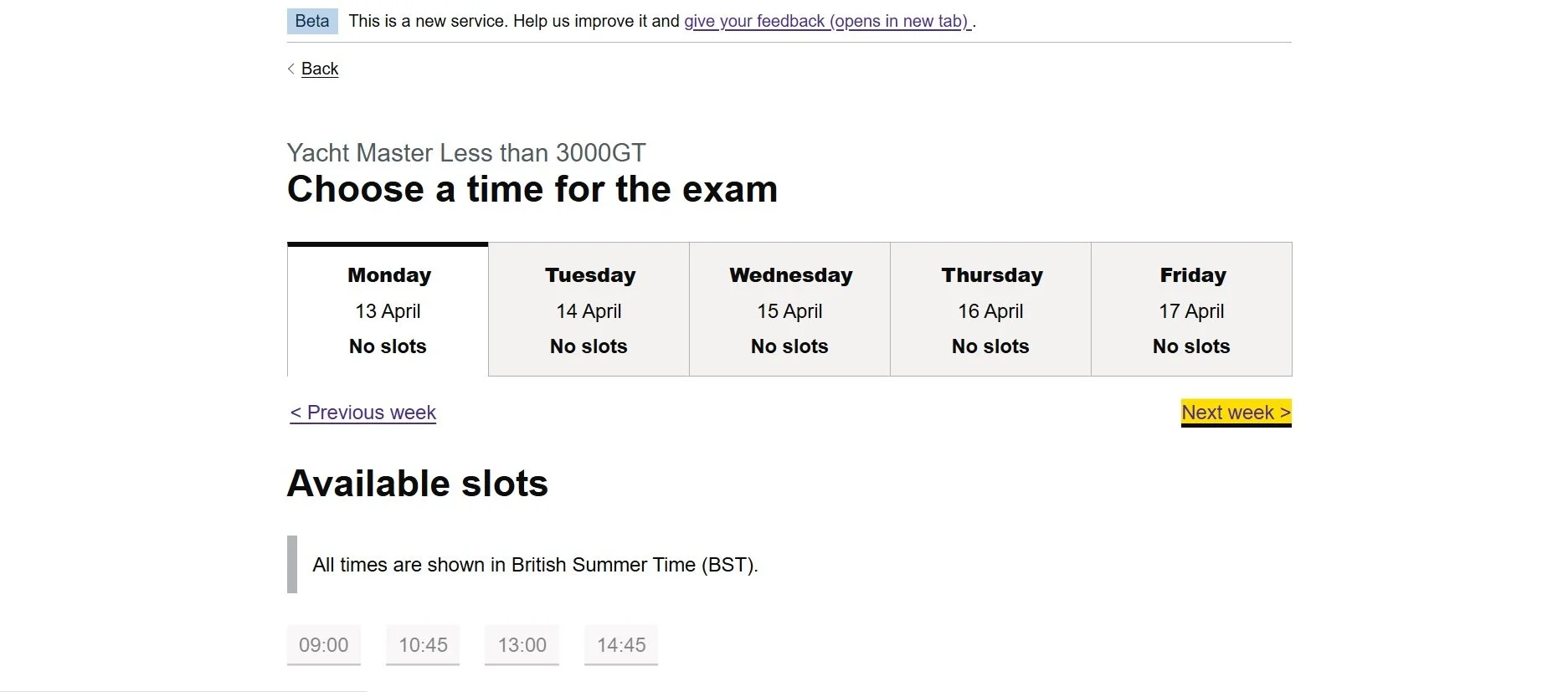
The MCA has now launched a new online system for booking oral exams.
This replaces the old booking form/manual email system, where you couldn’t see available exam dates. You can now book and manage your exams yourself online.
The system officially went live on the 9th of March 2026, and some of my students have already started using it. As expected with any new system, there are a few bugs and quirks, so I’ve put together this quick guide.
What’s Changed
Previous System
Manual booking via booking form/e-mail
No option to see available dates
No option to choose your own dates
Often a long wait for responses via email
New Online System (from 9th of March 2026)
Self-service booking portal
Book, view and manage your own exam
Available online 24/7
Rollout Timeline - Who can book & when
Phase 1 — Early Access
9 March – 11 March 2026 (48-hour window)
If you received an email from the MCA (from 'Online Oral Exams') stating you have already submitted a Booking Form, you are eligible to book NOW during this exclusive early access window.
Phase 2 — Open to All Users
From 11 March 2026 onwards
After the 48-hour exclusive window closes, the system will open for all new exam bookings.
What you need before you start
Before opening the booking system, make sure you have the following ready:
SDS Number
Your MCA Seafarer ID - typically 6 digits, e.g. 123456 (see bug fix below)
Date of Birth
You will need to enter this in a specific format (see bug fix below).
Booking Form Reference
The reference number from your submitted booking form. This should have been provided when you submitted your application.
Exam Type
Know which oral exam you are booking - eg OOW, Chief Mate, Master etc
Preferred Dates
Have a few dates in mind — the system will show available slots.
Known Bugs (and how to fix them!)
As expected with a brand-new system, there are already a couple of bugs.
These were identified by my first students using the system, and the workarounds below have been tested and confirmed to work.
Bug #1 — SDS Number Must Be 10 Digits
⚠️ The Problem
The booking system asks for a 10-digit SDS number.
However, the MCA only issues 6-digit SDS numbers.
If you enter your number normally, the system rejects it.
✅ The Fix
Add four zeros at the front.
Example: Your SDS number is 123456 → Enter 0000123456
Multiple students have confirmed this works.
Bug #2 — Date of Birth Format Is Wrong
⚠️ The Problem
The system shows an example date format of 06/06/1994 (with leading zeros). However, if you enter your date of birth in that format, it will not work and you will receive a validation error.
✅ The Fix
Remove the leading zeros from the day and month. Enter the date as D/M/YYYY not DD/MM/YYYY
Examples:
• Born 6 June 1994: enter 6/6/1994 ✔ (NOT 06/06/1994 ✖)
• Born 14 November 1990: enter 14/11/1990 ✔ (this has two-digit day already — no change needed)
• Born 3 December 1987: enter 3/12/1987 ✔ (NOT 03/12/1987 ✖)
Final Thoughts
This is a brand-new system, so there will inevitably be a few teething problems.
The good news is that once the bugs are ironed out, this system should make booking your oral exam much easier and faster than the old email process.
I'll keep updating this guide as more students start using the system.
If you run into problems, just send me a message and I’ll help where I can.
